
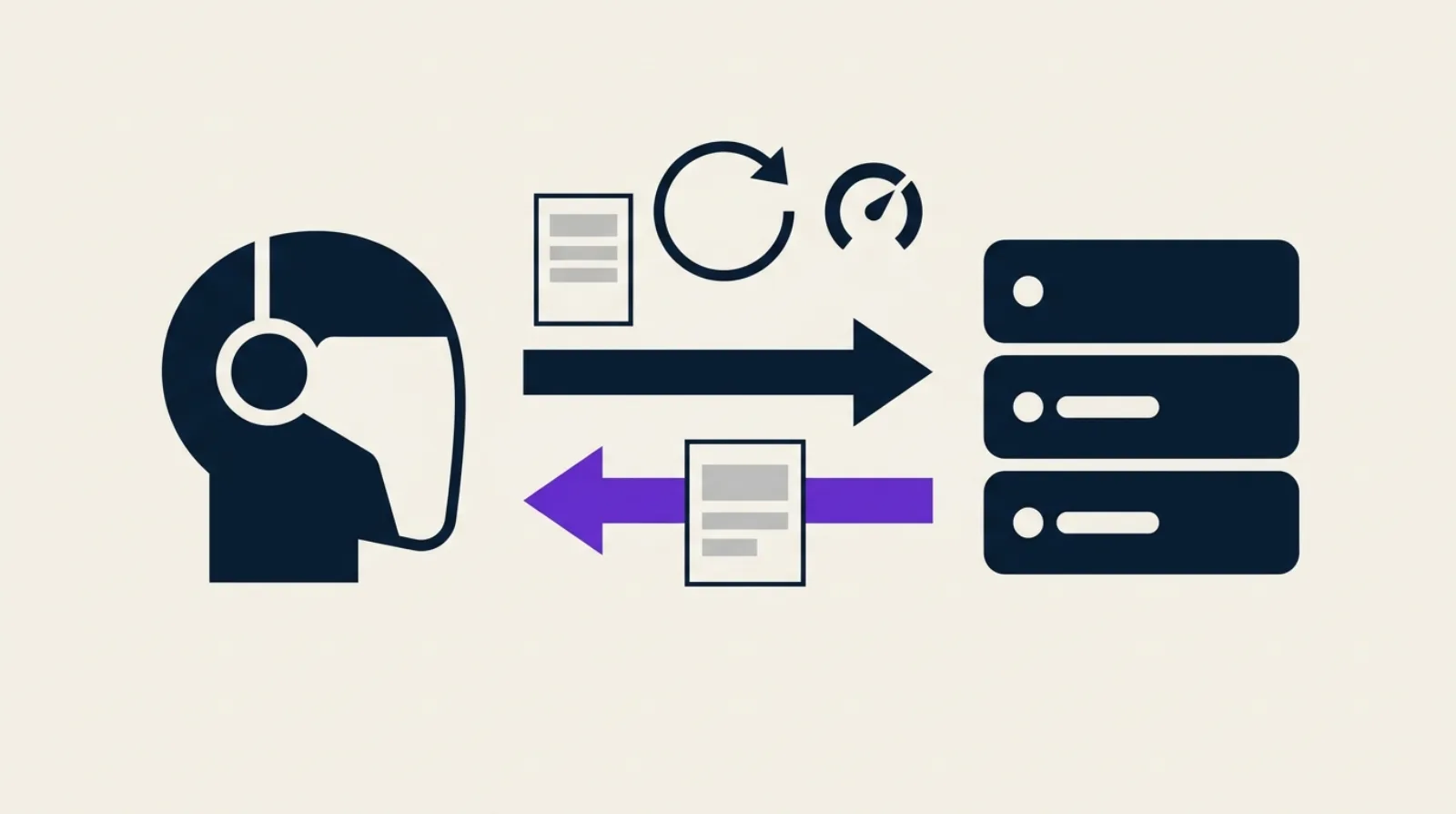
Every time Googlebot comes back to a page you haven't touched in three months, your server regenerates it, compresses it and sends it again in full. Google downloads it, parses it, and finds that nothing changed. HTTP has had an escape hatch for this since the 90s: conditional caching, which lets your server answer 304 Not Modified with no response body.
On paper it's free. In practice almost nobody uses it: in its December 2024 post, Google says only 0.017% of its fetches can be served from a cache, down from 0.026% ten years ago. Here is how the mechanism works, what Google actually supports, how to check your own site and which traps to avoid.
Conditional HTTP caching in 30 seconds
The principle takes two exchanges.
- First visit: the server answers
200with the page and a version identifier in the header, for exampleETag: "v42-a1b2c3", or a date inLast-Modified. - Later visits: the client sends that identifier back in
If-None-Match(for the ETag) orIf-Modified-Since(for the date). If nothing changed, the server answers304 Not Modified, with headers but no body.
| Response header | Request header sent back | What it compares |
|---|---|---|
ETag | If-None-Match | A content version identifier |
Last-Modified | If-Modified-Since | A last-modification date |
Cache-Control: max-age | (none) | How long the content is considered fresh |
A 304 is neither an error nor a redirect. It's the server saying: "your copy is good, keep it."
What Google supports exactly
Google's crawler documentation is precise, and more restrictive than most people assume:
- Google supports heuristic HTTP caching through
ETag/If-None-MatchandLast-Modified/If-Modified-Since. - If both headers are present, Google uses the ETag value, as the HTTP standard requires.
Last-Modifiedmust follow the HTTP date format, for exampleFri, 4 Sep 1998 19:15:56 GMT.Cache-Control: max-ageis optional, but helps the crawler estimate when to come back.- Other caching directives aren't supported. Don't count on
no-cache,s-maxageorstale-while-revalidateto influence Googlebot. - Support depends on the crawler: Googlebot handles caching when re-crawling for Search, while
Storebot-Googleonly does so in certain conditions.
The key point: this cache only works if your server sends reliable validators. Google doesn't invent them.
Why it matters for your crawl
A 304 spares your server from generating the page and transferring the body. Google puts it this way: the server saves compute and bandwidth, and on the crawler side the content is retrieved from its internal cache.
The effect on indexing is modest. A 304 signals that the content is identical to the last crawl, and that's all: it isn't a ranking signal. The gain lies elsewhere:
- Less server load on dynamic pages (SSR rendering, database queries).
- Less bandwidth, so lower costs if you pay per transfer.
- More headroom for crawling on large sites, a topic we cover in our crawl budget guide.
On a 200-page site the gain is negligible. It becomes real from a few thousand URLs, or as soon as your rendering is expensive.
ETag or Last-Modified: which one to pick
Google recommends the ETag, because it avoids date-format problems. It's also your best choice when the modification date isn't reliable (content assembled from several sources, deployments that rewrite every file).
A simple rule:
- Your content comes from static files or a CDN: keep the automatic ETag, it does the job well.
- Your content comes from a database: derive the ETag from a hash of the rendered content, or from an entity version number (for example
id + updated_at). - You send both: fine, Google will use the ETag. Just make sure both change at the same moment.
Never put today's date in Last-Modified to "look fresh". A validator that changes on every request never triggers a 304, and it sends a false freshness signal. For real editorial freshness, see our article on content updates.
Diagnose your site in three commands
No paid tool needed. The test fits in a terminal.
1. See which validators your server sends:
curl -sI https://your-site.com/blog/some-article | grep -iE "etag|last-modified|cache-control|HTTP/"
2. Replay the request the way a crawler would, sending back the ETag you received:
curl -sI -H 'If-None-Match: "value-received-in-step-1"' https://your-site.com/blog/some-article | head -1
You should get HTTP/2 304. If you get 200, your server ignores conditional requests.
3. Check stability: run command 1 twice in a row. If the ETag differs between requests while the content hasn't changed, you have a problem (see the next section).
For real-world observation, open the Search Console Crawl Stats report: the breakdown by response code shows the share of "Not modified (304)" among Googlebot's requests. If it's close to zero on a site where most pages don't move, you're leaving savings on the table.
The five classic traps
- ETag differs between servers. Behind a load balancer, two machines computing the ETag from the inode or file date return two values for the same content. The crawler will never see a match.
- ETag that changes on every deployment. An ETag based on the build date invalidates the whole cache at every release, even for unchanged pages.
- Validator that moves on every request. A timestamp or session token in the hash, and the
304never fires. - The lying
304. If your server or CDN answers304when the content has changed, the crawler keeps the old version. This is the only truly dangerous trap: your updates stay invisible. - Disabling everything out of fear. Turning off ETags everywhere removes the previous risk, but guarantees that every recrawl costs a full response.
Configure it: Nginx, Apache, Next.js and CDNs
Defaults are often correct. Check before you change anything.
Nginx generates an ETag for static files by default. You can force it:
etag on;
Apache computes the ETag according to FileETag. On a server farm, drop the inode to avoid divergence between machines:
FileETag MTime Size
Next.js generates ETags for pages by default, through the generateEtags option in next.config.js. Only set it to false if you know why.
CDNs: most CDNs revalidate against your origin with the same conditional headers. Test end to end with the commands above, targeting the public URL rather than the origin.
Finally, add a reasonable Cache-Control: max-age on content that rarely changes, to help Google space out its visits. For a blog post, a few hours to a few days is enough: stay cautious on pages that change often.
Illustrative mini case
This example is a theoretical calculation, not a client measurement. Imagine a site of 3,000 HTML pages averaging 80 KB, recrawled 10 times a month by Googlebot, 90% of which haven't changed between two visits.
- Without conditional caching: 3,000 × 10 × 80 KB = 2.4 GB transferred per month.
- With a
304on unchanged pages (about 0.5 KB of headers): 10% full responses (240 MB) plus 90%304responses (about 13 MB), for roughly 253 MB.
The calculation shows the order of magnitude: close to a 90% reduction in transfer for this traffic. Your actual gain depends on your crawl frequency and the share of stable pages, which you can read in your logs.
What about GEO?
No public documentation guarantees that GPTBot, ClaudeBot or PerplexityBot send conditional requests. Don't assume they do.
What you can do is measure it. In your server logs, count 304 responses per user-agent: if an AI bot never generates any, it re-downloads everything on each visit, and your validators are useless to it. Our article on server log analysis details the method. Either way, a server that answers bots quickly and cheaply stays easier to crawl, AI engines included.
Checklist before you close the tab
curl -sIreturns anETagor aLast-Modifiedon your HTML pages.- The replayed conditional request returns
304. - The ETag is identical from one request to the next on unchanged content.
- Two servers in your farm return the same ETag for the same page.
- Modified content does change the ETag (test after an edit).
- The share of
304in Crawl Stats is consistent with how stable your site is.
To see where your site stands on technical SEO and GEO overall, get your score /100 for free, and check the full PDF report for the prioritized list of fixes.
FAQ
Does a 304 hurt SEO?
No. Google says a 304 signals content identical to the last crawl, with no other effect on indexing. The risk is a 304 returned wrongly on content that has changed.
Does Google prefer ETag or Last-Modified?
Google recommends the ETag and uses it first when both headers are present. If you use Last-Modified, follow the HTTP date format.
Does Cache-Control: no-cache stop Googlebot from crawling?
Directives other than max-age aren't supported by Google's crawlers, so they don't influence their behavior. To block crawling or indexing, use robots.txt or a robots meta tag.
Why does my server return 200 to the conditional request?
Frequent causes: missing or unstable ETag, a proxy stripping the header, or a validator that changes on every request. Redo the three diagnostic commands to isolate the faulty link.
Do AI bots use conditional caching?
It isn't publicly documented. Measure it in your logs by counting 304 responses per user-agent.
Key Takeaways
- Google supports
ETag/If-None-MatchandLast-Modified/If-Modified-Since, and prefers the ETag when both exist. - Caching directives other than
max-ageare ignored by Google's crawlers. - Only 0.017% of Google's fetches are cacheable today: the room for improvement is huge.
- Test with three
curlcommands: validators present,304on conditional request, stable ETag. - The only real danger is a
304returned on content that has changed. - For AI bots, assume nothing: count
304s in your logs.